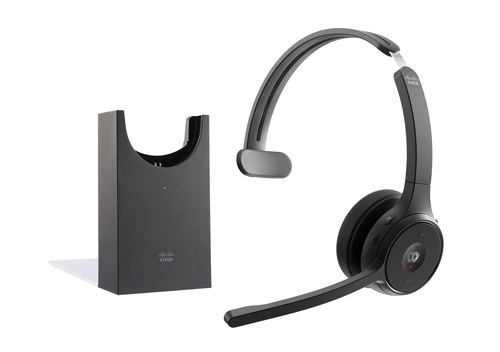
What Is AV Collaboration—and How Do You Choose the Right Setup?
Meetings, training sessions, and hybrid work have changed the bar for AV collaboration. People want fast setup, clear audio, simple sharing, and fewer IT headaches. In plain terms, AV collaboration is the mix of audio, video, and control tools that help people connect without fuss. It creates smoother communication, less downtime, and better meeting room experiences. In my experience, the best systems are the ones people barely notice, because they just work.
What AV Collaboration Really Includes
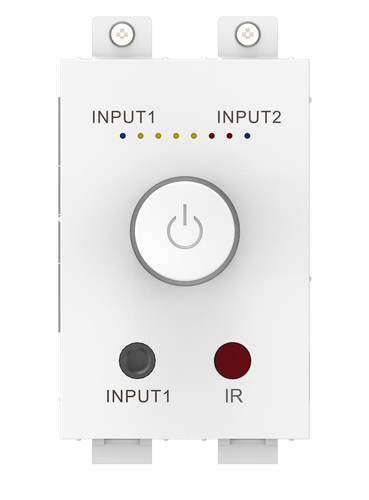
AV collaboration usually starts with five pieces: audio, video, content sharing, control, and connectivity. When they work together, a conference room feels simple instead of clunky. A classroom can route a laptop through a display, a huddle space can switch sources quickly, and a training room can keep everyone focused.
Technical details matter here too. You may see amplifier modules, source switching, low-latency audio, and integration with existing wall plates or Techconnect-style systems. Those features help reduce cable messes and make support easier later. The payoff is practical: clearer communication, fewer awkward “can you hear this?” moments, easier user adoption, and more professional presentations. A small team room might just need quick music playback between meetings. A sales demo room might need reliable sound that doesn’t drop out. A hybrid meeting space usually needs consistent audio output more than flashy extras. That said, premium features sound impressive, but they’re not always necessary if the room is small or the workflow is simple. I’ve seen plenty of modest setups outperform expensive ones because they matched the actual use case. The real goal is fit, not bragging rights. Choose the AV collaboration setup that matches the room, the users, and the workflow—not just the spec sheet. If you want more planning ideas, check our related guide on meeting room AV basics.Why Good Audio Still Makes or Breaks the Experience
And here’s the truth: people usually notice bad sound before anything else. In AV collaboration, audio quality can make a meeting feel polished or painful. Clean amplification, proper speaker matching, and stable output levels shape how speech comes across in meetings, training sessions, and shared media playback. Features like 2-channel output, RMS wattage, low-impedance amplifier design, and a compact form factor matter because they affect real-world clarity, not just the spec sheet.
Better audio brings better speech intelligibility, fewer complaints from end users, and less time spent troubleshooting weak or distorted sound. From an IT perspective, one thing I tell people all the time is that the camera often gets blamed when the audio is the real culprit. That happens more than you’d think. Common mistakes are easy to make: overdriving speakers, ignoring impedance, assuming higher wattage automatically means better performance, or mixing random components that never quite agree. A modest, well-designed amplifier is often the smarter buy than a flashy premium option. During busy Q4 meeting schedules or back-to-school classroom refreshes, reliability matters even more, because nobody has time to babysit a room that should just work. If you’re comparing options, our audio hardware guide can help you narrow it down. For most spaces, solid AV collaboration audio beats complicated gear every time.The Features That Actually Save Time for IT and Users
One of the biggest trends in AV collaboration right now is smaller, more integrated hardware. That’s good news for IT teams trying to do more with less budget and less rack space. Compact hardware, modular installation, compatibility with existing infrastructure, simple wiring, and flexible mounting options all reduce labor and shorten install time.
A shared conference room can be up and running faster. A hospitality lounge can get cleaner sound without a bulky rack. A small retail training area can be deployed with less disruption, which is a relief when the space has to stay open. These features also make support easier for everyday users because there are fewer moving parts and fewer places for things to go wrong. I’ve always liked systems that don’t overcomplicate the last mile. There’s also a sustainability angle, even if it’s a quiet one: efficient hardware can cut power waste and reduce unnecessary equipment swaps. That’s good for the budget and, honestly, for the planet too. Quick Wins: choose gear that fits the room size, existing cabling, and user needs instead of overbuilding. If you need more examples, browse our AV integration category or read our small room setup tips. The right AV collaboration choice should save time now and later.How AV Collaboration Supports Better Meetings and Smarter Spaces
What does AV collaboration really buy you? Better engagement, smoother hybrid meetings, faster content sharing, and a more polished user experience. Those benefits show up as fewer support tickets, less meeting friction, and better adoption across teams. Have you ever sat through a meeting where people kept asking, “Can you hear me now?” I have, and it gets old fast. The right AV collaboration setup reduces that kind of friction by giving users dependable audio, simple controls, and predictable results.
In executive boardrooms, that means cleaner presentations and fewer interruptions. In classrooms, it means students can follow along without straining. In multipurpose rooms, it means the system can flex without confusing the next person. In customer-facing demo spaces, it means the technology supports the message instead of distracting from it. The best solution isn’t always the most expensive one. Sometimes the smartest choice is a balanced system that delivers consistent results and doesn’t chew through support time. Budget planning matters here too, because cheaper upfront gear can become costly if it causes repeated issues. From my experience, total cost of ownership is where the real story lives. Choose AV collaboration tools that support people, not just technology, and the room becomes easier to trust.Vision TC3 50w 2.0 Channels Home White vs Vision TC3-AMP Audio Amplifier 2.0 Channels Home White
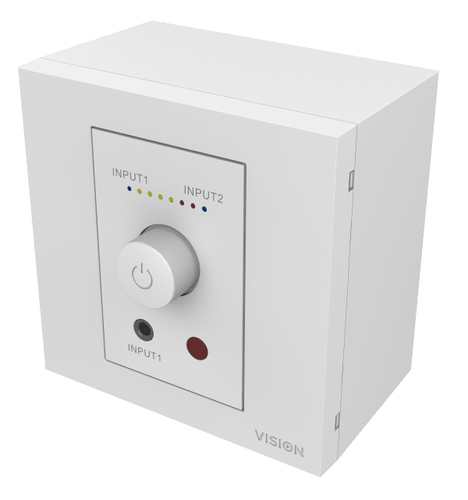
When comparing Vision TC3 50w 2.0 channels Home White with Vision TC3-AMP audio amplifier 2.0 channels Home White, you’ll notice they’re very close on paper. Both are compact, 2-channel amplifier solutions built around low-impedance digital amplifier chip technology, and both deliver 2 x 25 watts RMS at 8 ohms. That makes them a solid fit for small collaboration spaces, conference rooms, and integrated AV installs where space is tight but clear audio still matters. In practical terms, the difference is usually less about raw performance and more about naming, availability, and how each model fits into a broader Techconnect-style installation plan. For many buyers, either option can be a smart choice if they want dependable audio without paying for features they won’t use. A clean retrofit in a meeting room might lean one way, while an AV integrator replacing a simple amp module may prefer the other. I’d call this a “good problem” to have—both are modest, useful, and easy to live with.
How to Set Up a Simple AV Collaboration Audio System
Start by assessing the room size, speaker load, and source devices—maybe a laptop, wireless receiver, or media player. Then choose the amplifier location and verify impedance compatibility before you mount anything. Connect the source input and speaker outputs carefully, and check wiring polarity twice. Tiny mistakes here often lead to weak or phasey sound.
Power up the system at low volume, test speech and music playback, and slowly raise the level while listening for distortion. If the room sounds harsh, step back and recheck the load. Leave ventilation space around the amp, label the cables, and document the setup so future support calls don’t turn into detective work. That’s one of those boring steps that saves hours later. My pro tip? Do a quick sound check before important meetings or training sessions, because problems seem to show up right when people are waiting. If audio cuts out, start with the load, cabling, and source signal before blaming the amplifier itself. In AV collaboration, the simplest setup is often the most reliable one—and reliability is what users remember.Conclusion
AV collaboration works best when the solution matches the room, the users, and the actual workflow. If you remember nothing else, remember this: good audio matters, compact and efficient hardware saves time, and practical features usually beat flashy extras. Think in terms of value, not just specs, because a reliable midrange system can outperform a premium option in the real world if it fits the job better. In my experience as someone who’s seen a lot of room builds, tradeoffs are normal. Sometimes you do want the higher-end gear, but often you just need something sturdy, simple, and easy to support. Current trends favor flexible, space-saving, integration-friendly AV systems, especially for hybrid work and shared environments. That’s where the best outcomes usually happen—less friction, fewer tickets, better meetings. So compare options, review room requirements, and choose the setup that makes collaboration easier for everyone involved. Ready to get started? Explore the AV collaboration category and find the right fit today.
Frequently Asked Questions
Common questions about AV & Collaboration