Is Better Audio the Secret to Smarter AV Collaboration?
Have you ever joined a meeting where the video looked fine, but the audio made everything harder? In AV collaboration, that’s usually the hidden factor. Better audio doesn’t always mean pricier gear—it means the right gear for the room, users, and workflow. This guide is for teams, IT admins, and office managers, with practical buying advice, features, value, use cases, and a couple of product comparisons. I’ve seen small audio tweaks save time in almost every meeting.
What Good Collaboration Audio Actually Needs
Good collaboration audio starts with the basics: clarity, loudness, coverage, echo control, and easy connections. If people can’t hear voices cleanly, the rest of the AV collaboration setup feels weaker than it should. In-room and remote participants both need dependable mic pickup and clean playback, which is why flashy specs matter less than real-world performance. Terms like impedance, RMS power, analog switching, and USB connectivity sound technical, but they’re just ways of describing how the system moves sound and connects to devices. A low-impedance amplifier, for example, can drive speakers efficiently, while RMS tells you the continuous output you can actually rely on. More wattage sounds impressive, but room size, speaker placement, and source quality often matter more. A small huddle room may need compact amplification and simple speaker placement. A medium meeting room might need better coverage and tighter echo control. A hybrid workspace usually needs flexible inputs and reliable USB links. What to look for? Compatibility, installation simplicity, and day-to-day reliability. That matters even more now, with hybrid work, bring-your-own-device meetings, and tighter IT budgets pushing teams toward gear that’s easy to deploy. For a deeper primer on room planning, the AV collaboration basics article is a useful companion.
Easy wins often come from good cable choices, clean mounting, and avoiding overcomplicated controls. In my experience, those little details keep AV collaboration audio from turning into a support headache. And if you’re browsing a wider collaboration audio category, you’ll usually spot the difference between spec-sheet hype and practical gear pretty quickly.Why the Right Audio Setup Saves Time and Frustration
The real value of good AV collaboration audio is simple: fewer repeats, smoother meetings, and fewer support tickets. When people hear clearly the first time, the meeting moves faster. Nobody has to unmute twice, ask for a recap, or say, “Sorry, can you repeat that?” again and again. From an IT perspective, that’s where the pain shows up fast. I once worked on a room that generated complaints every Monday morning because remote attendees heard a hollow, distant sound. We didn’t need a giant overhaul. A modest audio upgrade, plus a better gain setting and cleaner cabling, fixed most of it. That kind of fix saves time across the week, not just in one meeting. Business benefits follow naturally: better participation, more professional client calls, and fewer wasted minutes from the entire team. That said, premium options aren’t always worth it. Sometimes a mid-range solution is the smarter spend if it solves the actual problem without extra complexity. Budget awareness matters, especially when teams are balancing new software, room upgrades, and support labor. Ease of maintenance matters too; if a system needs constant training, it usually becomes a nuisance. Quick Wins: check cabling, reduce room echo with placement or soft surfaces, and avoid mismatched audio sources. If you’re comparing setup ideas, the room audio workflow discussion offers a good baseline for deciding what actually needs improvement.
In practice, the best AV collaboration audio is the kind people barely notice—because it just works, and the meeting keeps rolling.Where AV Collaboration Audio Fits Best in Real Life
AV collaboration audio shows its value in the places people use every day: huddle rooms, executive offices, training spaces, remote support desks, and small conference areas. Each space asks for something slightly different. Compact rooms often need simple amplification and predictable coverage, while desk-based collaboration setups may need flexible switching between devices. Think about a sales team that jumps from USB audio on a laptop to an analog backup input when a presenter walks in late. Or a front desk that needs reliable two-channel playback for quick internal calls and occasional guest greetings. Those aren’t fancy scenarios, but they’re common. Seasonal pressure makes the need even clearer. During budget season or hiring season, calendars fill up fast, and weak audio becomes obvious to everyone. There’s also a sustainability angle here: choosing the right-sized system can reduce wasted hardware, replacement cycles, and unnecessary power draw. I like that part, honestly. It feels practical and responsible at the same time. In my experience, the best audio setup is the one people stop talking about because it just works. Common mistakes still show up, though: poor speaker positioning, wrong gain levels, and bad adapter choices. A lot of those issues can be avoided by starting with the right category and browsing a focused collaboration audio category instead of guessing.
If your team already struggles with echo or uneven volume, the problem is often setup—not the room itself.How to Choose Between Simplicity and Flexibility
Choosing AV collaboration audio usually comes down to one question: do you need simple playback, or do you need flexible routing? Simple plug-and-play gear is often best when the room is fixed and the user profile is basic. People walk in, connect a laptop, and the system should just behave. Flexible systems matter more when teams share spaces, move between devices, or rely on mixed hardware. Then multiple inputs, switching, and adaptable layouts start to pay off. From a buying standpoint, I’d look at power output, input and output options, installation footprint, compatibility with existing AV components, and ease of support. A premium system can look fantastic on paper, but in a small room it may be overkill. On the other hand, underspecifying audio can create more complaints than it saves money. My short checklist: confirm room size, identify the main source devices, verify mounting or desk-space constraints, and think about who will use the system every day. That last part gets missed a lot. The person using it at 8:00 a.m. on a rushed Monday is the real test. If you want a broader context for room planning and device fit, the AV collaboration setup guide ties the bigger picture together.
Once you know whether simplicity or flexibility matters more, the product choice gets much easier—and a lot less risky.Vision TC3 50w 2.0 Channels Home White vs HP Poly MDA100 QD USB-A Analog Switch
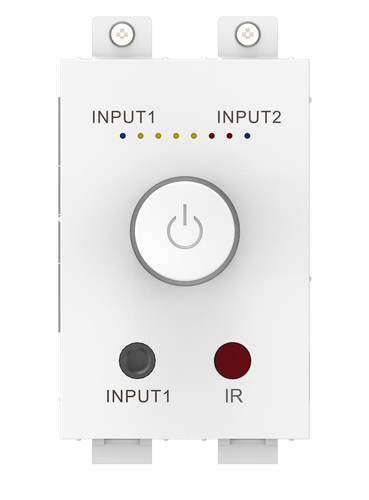
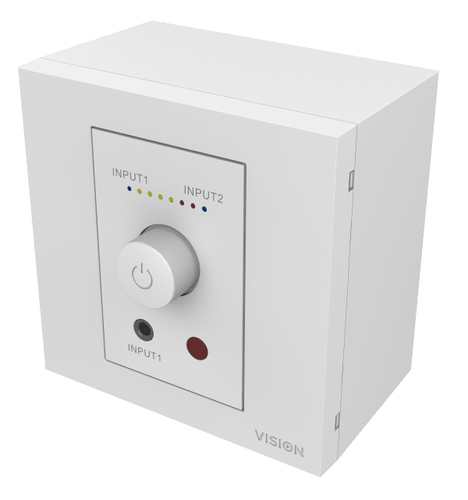
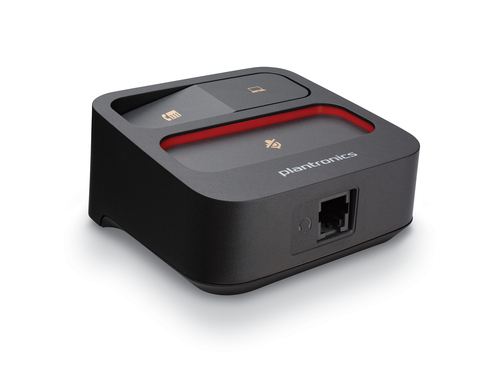
When comparing the Vision TC3 50w 2.0 channels Home White with the HP Poly MDA100 QD USB-A Analog Switch, the differences are pretty clear. The Vision TC3 is built for compact amplification, using low-impedance digital amplifier chip technology to deliver 2 x 25 watts RMS at 8 ohms in a module-sized footprint. That makes it a strong fit for small collaboration spaces, tidy installs, and simple speaker setups where clean stereo audio matters more than extra complexity. The HP Poly MDA100 QD USB-A Analog Switch, by contrast, is better for call-center-style or desk collaboration workflows. It lets users switch quickly between USB-A and analog audio paths with HP Poly gear, which is handy in shared desks and voice-heavy environments. The Vision unit wins on room amplification; the Poly switch wins on user-side routing flexibility. Different problems, different tools. And honestly, that’s the whole game in AV collaboration—pick the device that matches the workflow, not the one with the loudest spec sheet. If you’re comparing vendor options too, the manufacturer documentation can help confirm compatibility before you buy.
How to Set Up a Simple AV Collaboration Audio System
Start by identifying the room type and the main source device—laptop, USB softphone, or analog feed. Then match the hardware to the use case: choose compact amplification for small rooms, or switching gear for desk-based collaboration. Position speakers so sound reaches people evenly, and don’t place them too close to walls if echo is already an issue. After that, connect the audio paths and test input and output levels before a real meeting. I’d also check gain, confirm cable compatibility, label ports, and run a quick echo test with a remote participant. That’s the boring part, but it saves headaches later. Common mistakes to avoid: using the wrong adapter, overdriving the volume, and skipping a test call because “it should be fine.” It usually isn’t. If you’re documenting the setup for support, a few notes on source selection and port labels go a long way.
A 10-minute setup check can prevent weeks of complaints, and in busy offices that’s a win nobody argues with.Conclusion
At the end of the day, AV collaboration audio is rarely the flashy part of the room, but it often has the biggest impact on user satisfaction. The main decision points are pretty straightforward: room size, workflow, installation simplicity, and whether the team needs amplification or switching. You don’t need the most expensive setup to get better meetings. You need the right match for the space and the people using it. In my experience as an IT-minded person, the best deployments are the ones that solve problems quietly and keep support tickets low. Hybrid work and distributed teams have made clean audio more important than ever, and that trend doesn’t look temporary. If your current rooms are causing repeats, complaints, or awkward client calls, it’s probably time to compare options with a practical eye. Look at the pain points first, then choose the gear that fits the workflow instead of fighting it. That’s usually where the real value shows up. For a smoother path forward, explore the right collaboration audio category and pick the setup that makes meetings clearer, easier, and less annoying for everyone involved.
Frequently Asked Questions
Common questions about Audio