Which Audio Accessories Actually Improve AV Collaboration Spaces?
Picture a meeting room with a sharp display and a solid conferencing platform, then watch it stumble because the audio accessories are wrong. If you’ve ever had to repeat yourself in a meeting, you already know the problem. In AV collaboration, audio accessories often decide who hears, who answers, and who stays in control. Today we’ll cover headset adapters, EHS solutions, amps, mixers, and connection accessories—and why premium gear isn’t always the smartest buy. Expect practical buying advice, setup tips, and a comparison that fits your workflow.

What Audio Accessories Do in a Collaboration Setup
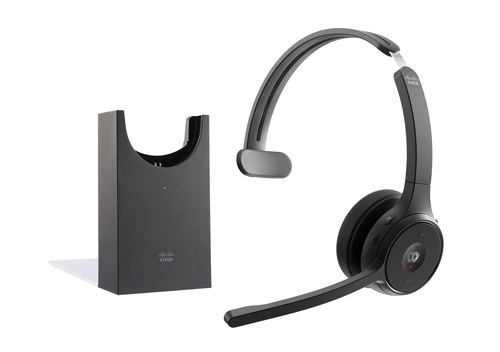
Audio accessories are the glue between headsets, phones, conferencing systems, and room audio hardware, and that’s not marketing fluff. They include adapters, hook switch solutions, inline controls, amplifier add-ons, and connection interfaces that keep signals moving where they should. In practice, they cut down on manual steps, reduce cable chaos, and make call handling faster for end users. Browse the audio accessory category if you want to see the range. A hybrid meeting room might need wireless headset control so staff can move around without dropping the call. A help desk often depends on quick pickup and hang-up, while a training room may need cleaner speaker integration so presenters aren’t fumbling with inputs. Why this matters is simple: uptime and user adoption. Even a well-designed room can feel clunky if the accessories are awkward. In my experience, the best accessories are the ones nobody notices because they just work. That said, compatibility is the first thing to check before anything else.
How to Choose the Right Accessory for Compatibility and Control
Start with compatibility, because that’s where most bad buys begin. Check the phone model, headset brand, connector type, and whether you need analog, USB, DECT, or electronic hook switch support. I usually recommend verifying every matchup against vendor documentation so you don’t end up with a connector that almost fits. If you’re using a supported ecosystem, an accessory from the same vendor can simplify life, and the manufacturer documentation is worth reading twice. Then look at control needs. Does the user need remote call answer/end, push-to-talk, or just clean audio routing? A quick checklist helps: - Device compatibility - Installation complexity - Cable length - Power requirements - Support for future expansion Budget matters too. Premium accessories can save time, but the cheapest option is sometimes perfectly fine for a single desk. Common mistakes to avoid: ignoring firmware, assuming universal compatibility, and buying only for the current room without thinking about headset upgrades later. Sometimes the simple choice is the best choice.
Where These Accessories Deliver the Biggest Day-to-Day Value
The biggest value shows up where people work fast and don’t want to think about the hardware. Support desks, executive offices, conference rooms, reception areas, and hybrid setups all benefit from audio accessories that reduce friction. Faster call handling, fewer interruptions, better audio clarity, and easier room operation are the real wins. If you’re planning broader upgrades, this discussion of amplifier and mixer workflows pairs well with accessory planning, and the core AV collaboration audio guide gives helpful context. Market trends are pushing this demand higher: more hybrid meetings, more wireless headsets, and more clean-desk expectations. Compact accessories help cut cable clutter, which honestly makes rooms feel more modern. A receptionist can answer calls from a headset instead of the handset. A manager can move around during a meeting without dropping audio. IT can standardize devices across rooms and reduce support tickets. I’ve seen a $100 accessory save hours of support tickets. Plus, fewer replacement calls usually means less e-waste. That said, accessories aren’t magic—they work best when the AV system was planned well in the first place.
The Features That Separate a Good Accessory from a Great One
When you’re comparing audio accessories, the details matter more than people expect. Build quality, connector type, signal reliability, low-latency performance, labeling, ease of installation, and vendor support all play a part. Some accessories are built for a narrow ecosystem, which can be frustrating, while others are flexible enough to fit multiple environments. Standardized connectors and clear documentation save a lot of setup time, especially in larger rollouts. The AV system planning basics also help when you’re deciding how far to standardize. Quick Wins for buyers: - Choose accessories with proven interoperability - Keep spare cables on hand - Test call control before deploying across multiple rooms Sometimes a polished premium model is worth it, especially in high-use spaces. Other times a dependable midrange unit is the smarter budget decision. In the field, the best accessory is often the one that minimizes user training. Less confusion means less troubleshooting, fewer service calls, and a more professional experience overall. That’s the kind of value that sticks.
HP Poly SHS 2470-04 PTT Amp vs Jabra Link 14201-37: Which Fits Your Workflow?
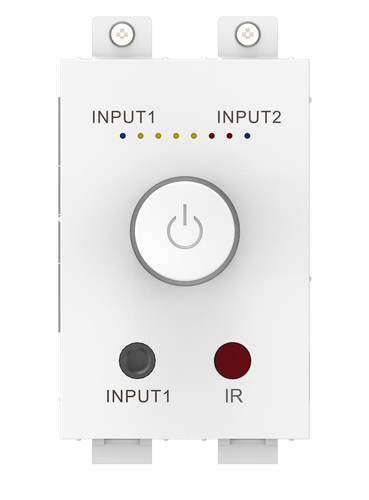
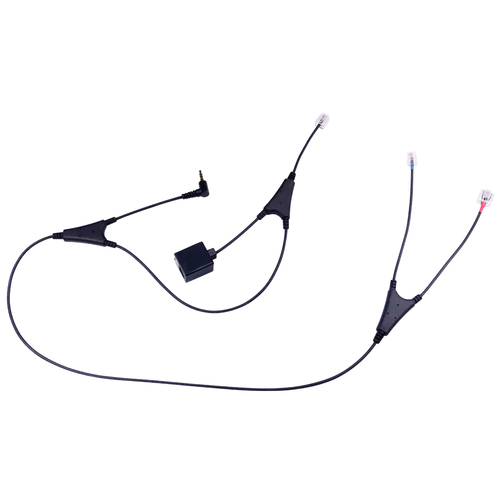
If you’re comparing the HP Poly SHS 2470-04 PTT Amp with the Jabra Link 14201-37 EHS solution, the right choice usually comes down to workflow. The HP Poly unit is built around push-to-talk and amplifier-style handling for specific audio and headset environments, so it fits better when controlled audio access and specialized wired connections matter. The Jabra Link 14201-37 focuses on remote electronic hook switch control with Jabra wireless headsets and selected Alcatel phones, which makes it a stronger fit for call-heavy desks where hands-free answering is the priority. In other words, HP Poly leans toward direct control and wired precision, while Jabra leans toward smooth remote call handling. If your team needs specialized PTT behavior, go HP Poly; if you need seamless EHS support with compatible Alcatel phones, Jabra is probably the cleaner choice.
How to Set Up Audio Accessories Without the Headaches
Start by identifying the exact device model, headset type, and phone or room system you’re connecting to. Next, confirm the accessory’s supported standards and connectors, then unbox and inspect every cable and adapter before mounting anything. Step 3: connect the accessory in the correct order—usually phone or system first, accessory second, headset or speaker last. Step 4: power up and test basic functions like audio pass-through, mic input, call answer/end, or push-to-talk. Step 5: fine-tune settings in the phone, software, or audio console; a missed configuration toggle causes a lot of “broken” systems. Pro tip: label cables and document the setup for future IT support. It saves time later, especially when somebody swaps desks or headsets. Common mistakes include skipping firmware updates, using unsupported ports, or assuming the accessory will auto-configure perfectly. If something sounds off, test one device at a time so you can isolate the problem fast. That simple habit usually beats guessing.
Conclusion
The big takeaway is pretty simple: audio accessories may be small, but they have a huge impact on how smoothly collaboration spaces function. Start with compatibility, then look at control needs, installation effort, and long-term support. The most expensive option isn’t always the best one, especially for smaller teams or straightforward rooms. Meanwhile, the right accessory can reduce frustration, cut support calls, and make meetings feel much more polished. When you’re shopping, think about actual daily workflows instead of specs alone. Who’s using the room? How often? Do they need remote call control, clean routing, or specialized push-to-talk behavior? Those questions usually lead to better purchases than chasing shiny features. In my experience, teams are happiest when the gear matches how they actually work. Review your current devices, match them against supported accessories, and choose the option that makes life easier for both users and IT. Explore the audio accessory category and pick the fit that keeps collaboration simple.
Frequently Asked Questions
Common questions about Audio Accessories